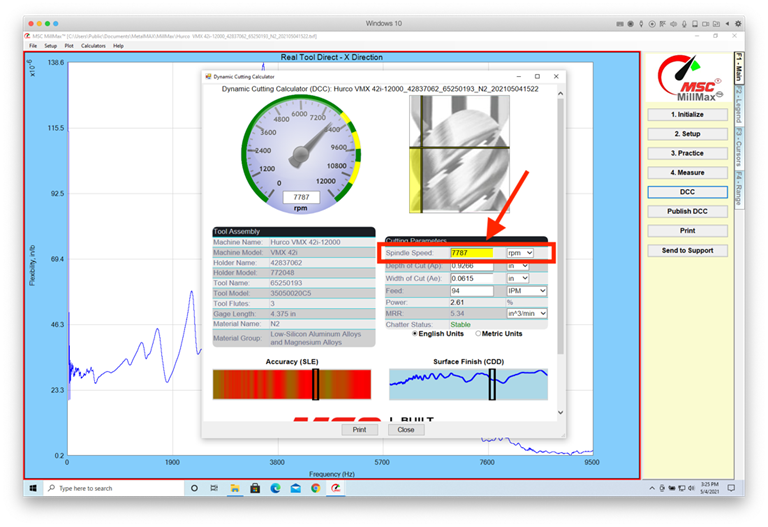
Set Maximum SFM Recommendation
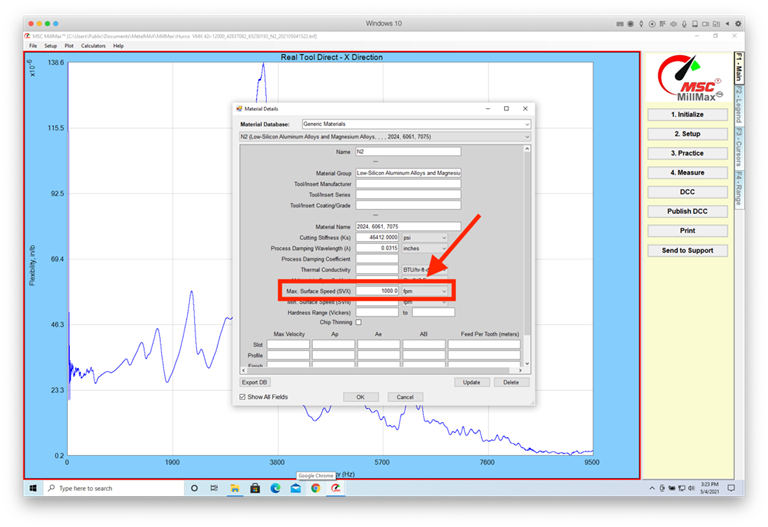
Under Setup and Material
Details, you can set an a maximum recommended SFM (or SMM).
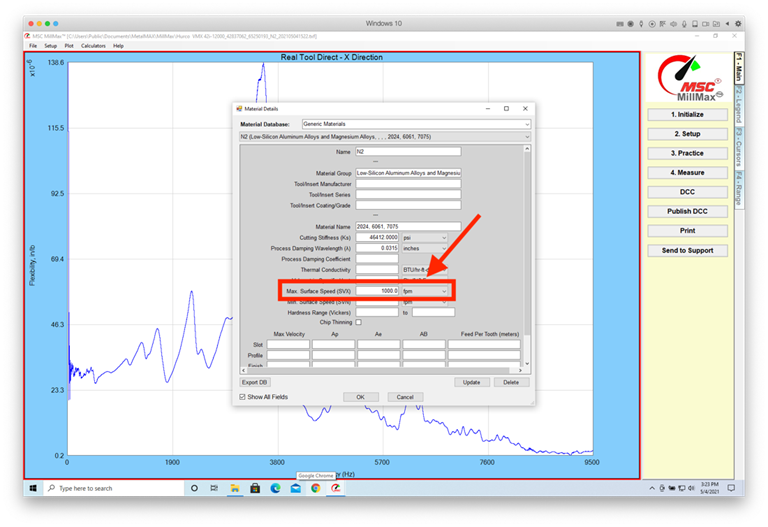
In the
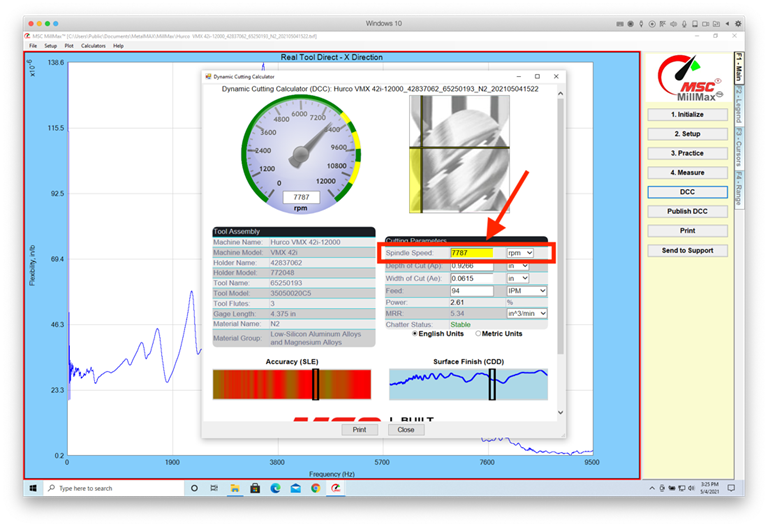
Dashboard the RPM will turn yellow when the maximum recommended SFM is exceeded
without having to do the calculations or conversions.
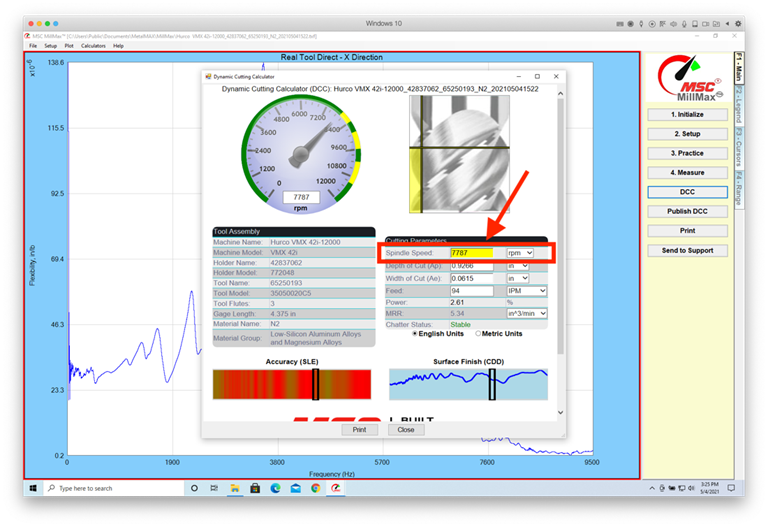
最大SFM推奨の設定
[設定と材料の詳細]
で、推奨される最大
SFM (または SMM) を設定できます。
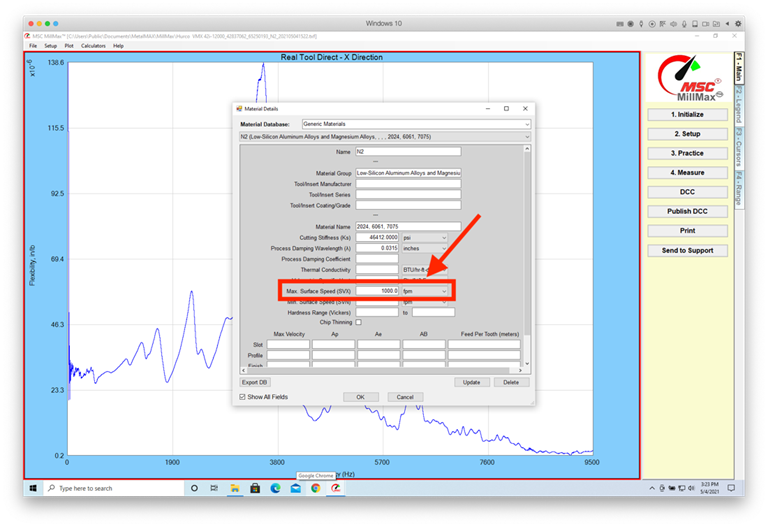
ダッシュボードでは、計算や変換を行わずに最大推奨SFMを超えると、RPMが黄色に変わります。
Festlegen
der maximalen SFM-Empfehlung
Unter Setup und Materialdetails können Sie einen maximal empfohlenen SFM (oder SMM) festlegen.
Im Dashboard wird
der RPM gelb, wenn der
maximal empfohlene SFM überschritten
wird, ohne dass die Berechnungen oder Umrechnungen durchgeführt werden müssen.