Set Maximum Width of Cut Warning
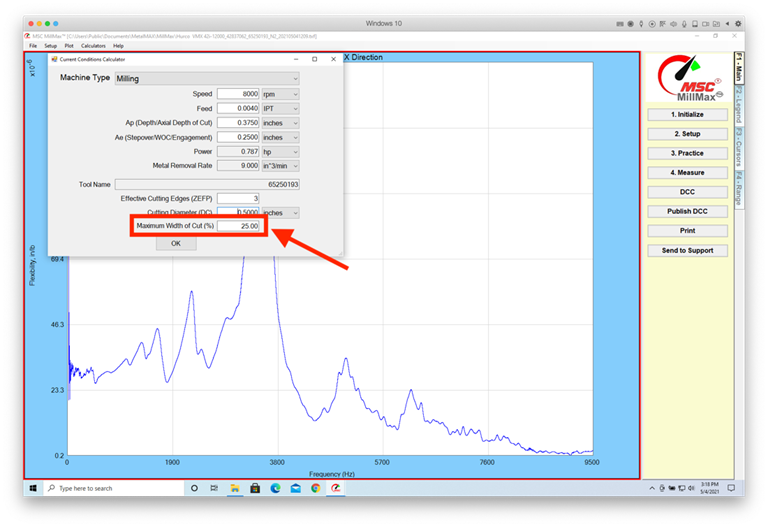
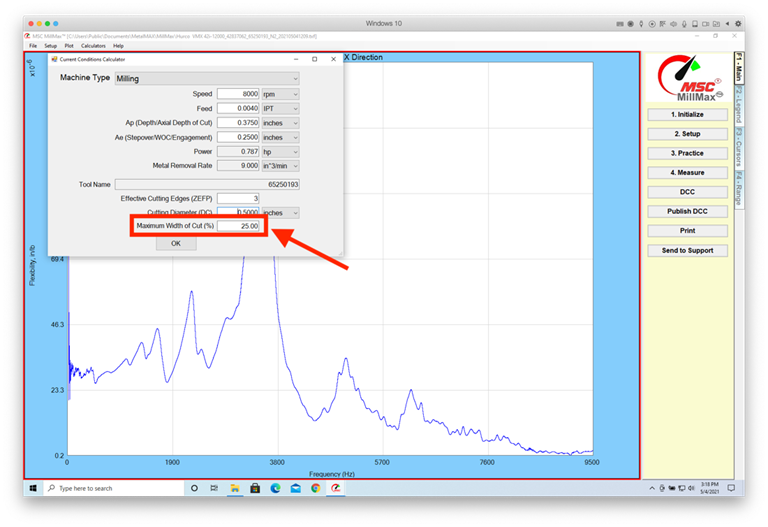
You can now set the
maximum recommended width of cut as a percentage. In Current Conditions, enter
the maximum recommended width of cut as a percentage.
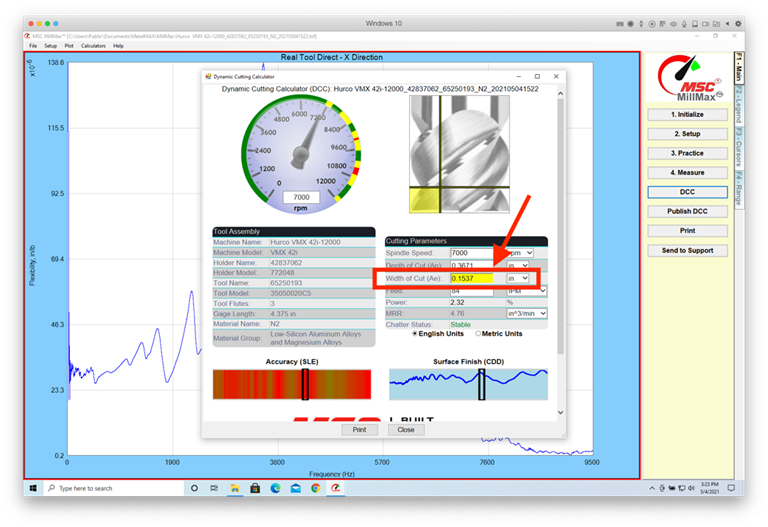
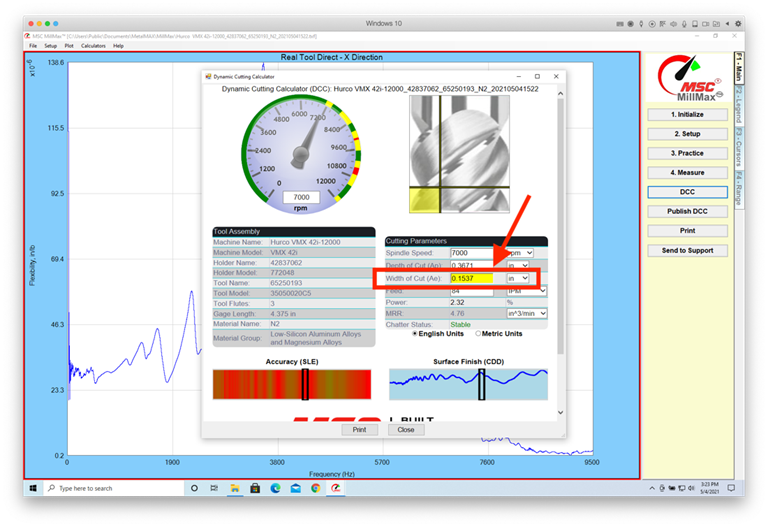
The resulting Dashboard
will turn yellow if the maximum recommended width of cut is exceeded:
カット警告の最大幅を設定
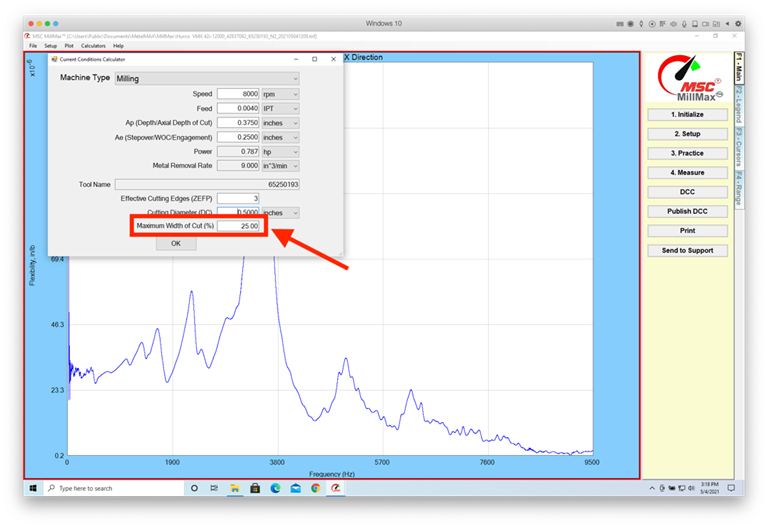
これで、推奨カットの最大幅をパーセンテージで設定できます。[現在の条件]に、推奨カットの最大幅をパーセンテージで入力します。
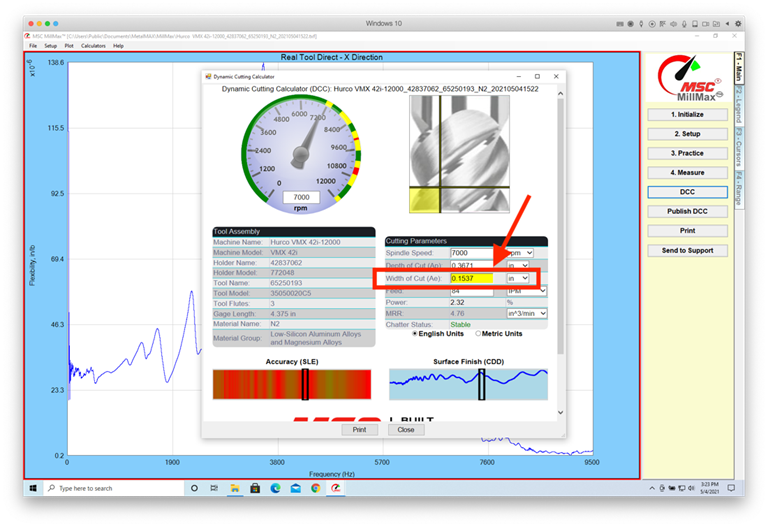
推奨されるカットの最大幅を超えると、結果のダッシュボードが黄色に変わります。
Warnung
"Maximale Schnittbreite
festlegen"
Sie können
jetzt die maximal empfohlene
Schnittbreite in Prozent festlegen. Geben Sie unter Aktuelle Bedingungen die maximal empfohlene
Schnittbreite in Prozent ein.
Das resultierende
Dashboard wird gelb, wenn die maximal empfohlene Schnittbreite überschritten wird: