All green Dashboard (starting from zero depth or width of cut)
It is
possible to get an all-green Dashboard is the tool assembly is very rigid.
However,
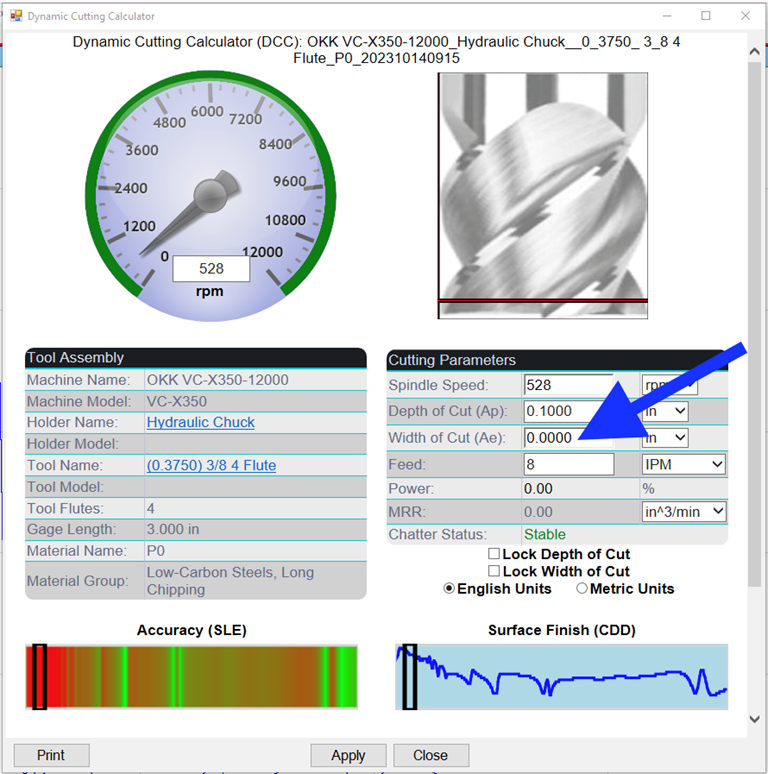
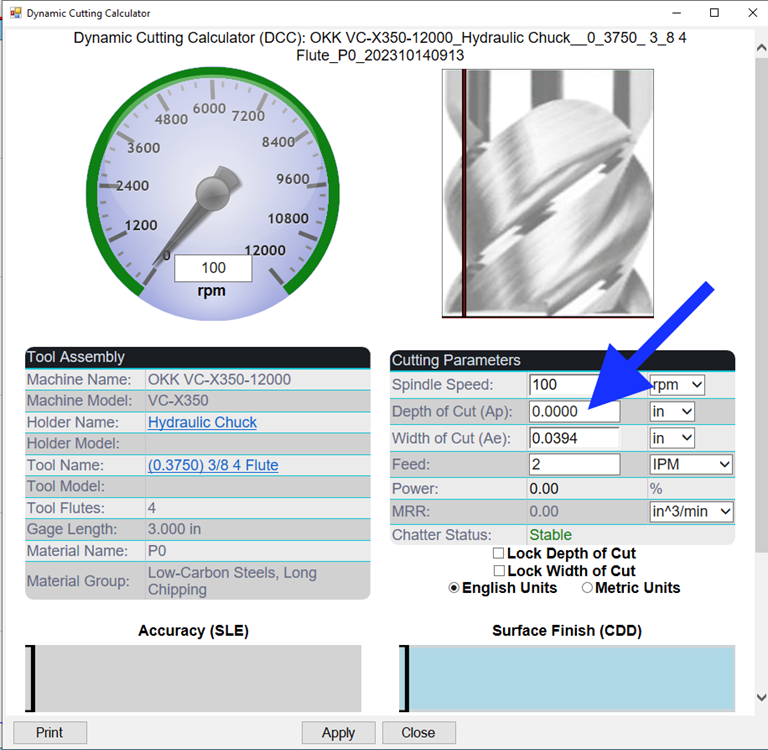
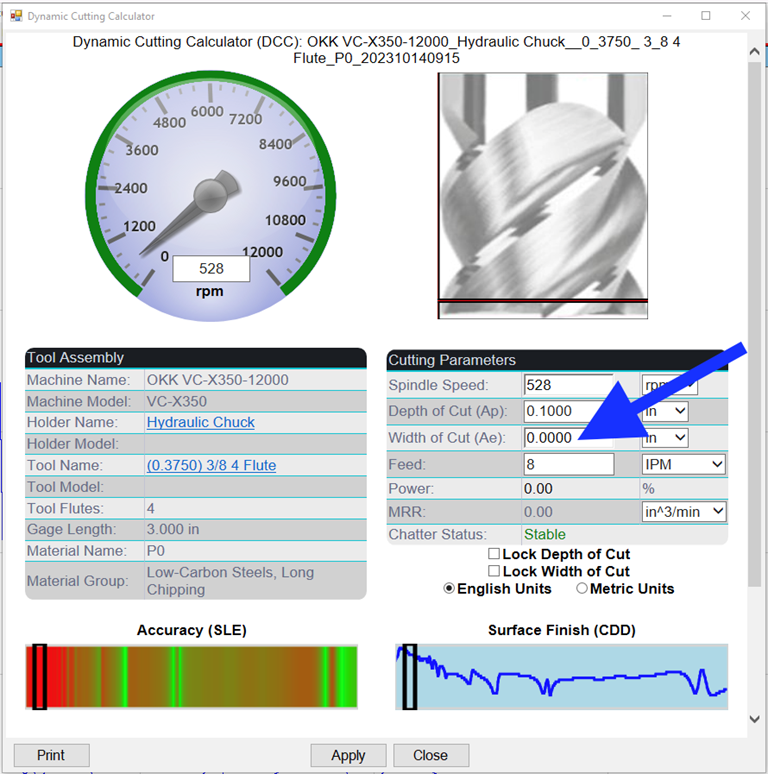
if you get a Dashboard that stays all green but starts with zero width or depth
of cut, the Dashboard is not functioning.
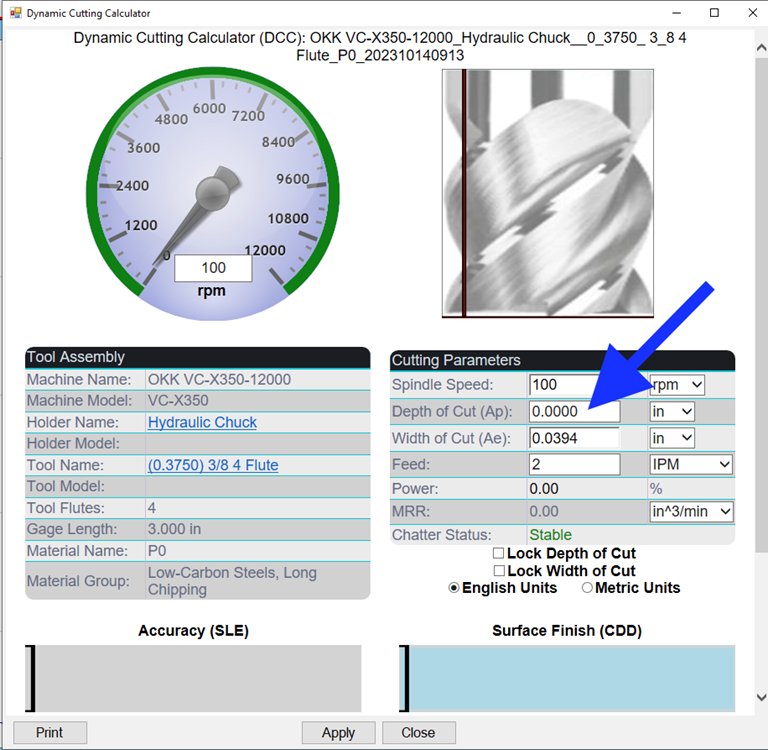
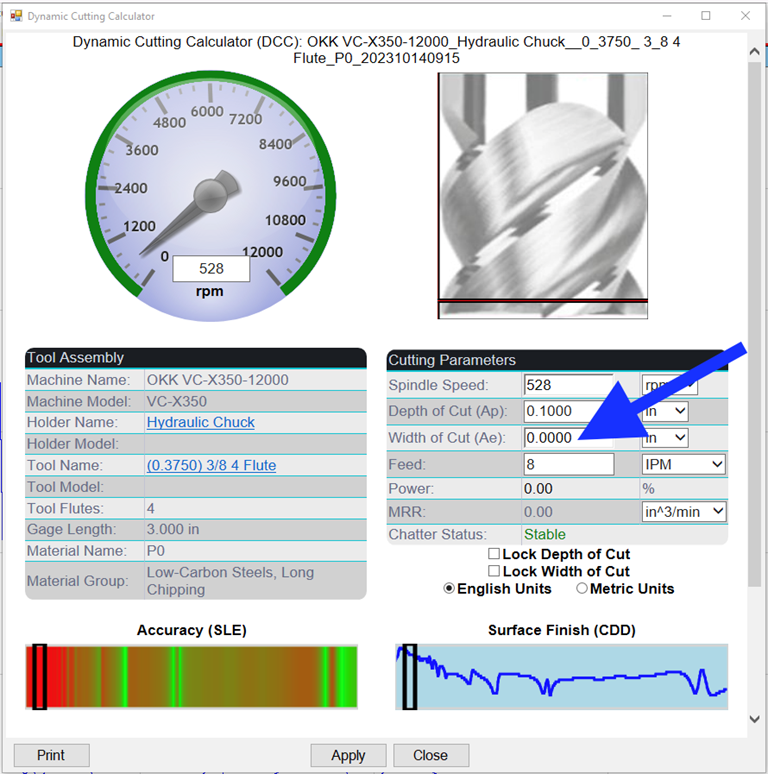
This
occurs when you publish a Dashboard with zero or no values in the Depth or
Width of cut fields in the Current Conditions.
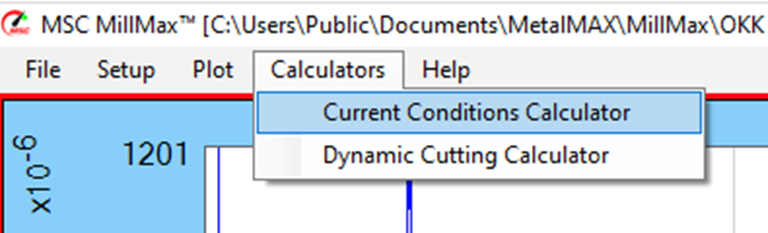
Fundamentally,
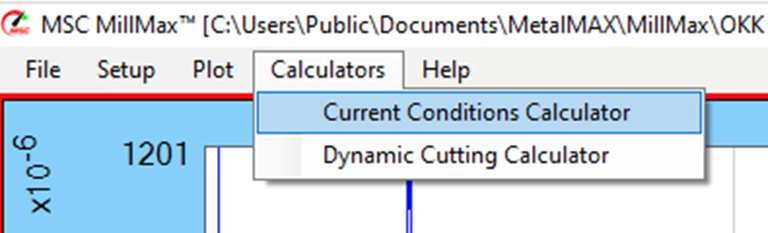
the Dashboard is a calculator. If it has no values to calculate and then you
publish the Dashboard (which becomes a distributable stand-alone calculator),
it locks the null values into it.
For
that reason, we put non-zero values into the default starting files. However,
it is still best practice to enter the customer's current parameters, or your
optimized parameters, into the Current Conditions as the Dashboard will open to
those settings.
すべて緑色のダッシュボード(切り込みの深さまたは幅がゼロから開始)
ツールアセンブリが非常に剛性が高いため、オールグリーンのダッシュボードを取得することができます。
ただし、ダッシュボードが緑色のままで、切り込み幅や深さがゼロで始まる場合は、ダッシュボードは機能しません。
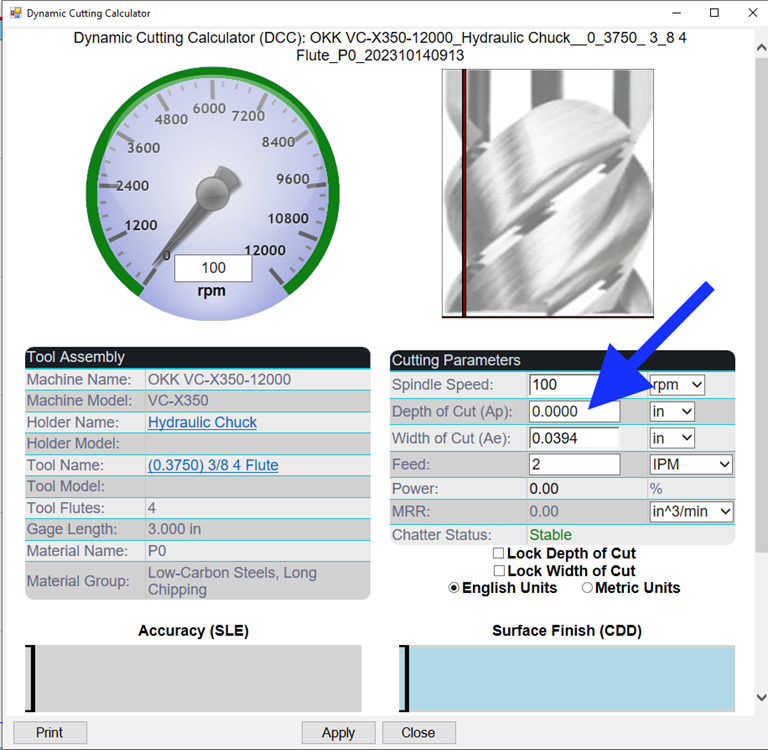
これは、現在の条件のカットの深さまたは幅フィールドに値がゼロまたはまったくないダッシュボードを公開した場合に発生します。
基本的に、ダッシュボードは電卓です。計算する値がなく、ダッシュボードを公開すると (配布可能なスタンドアロン計算機になります)、null 値がロックされます。
そのため、ゼロ以外の値をデフォルトの開始ファイルに入れます。ただし、ダッシュボードが開き、それらの設定が開くため、顧客の現在のパラメーターまたは最適化されたパラメーターを現在の条件に入力することがベストプラクティスです。
Alles grünes Armaturenbrett
(beginnend mit Null Tiefe oder Schnittbreite)
Es ist möglich, ein
komplett grünes Dashboard zu erhalten, wenn
die Werkzeugbaugruppe sehr steif ist.
Wenn
Sie jedoch ein Dashboard erhalten, das ganz grün bleibt, aber
mit null Schnittbreite oder Schnitttiefe beginnt, funktioniert das
Dashboard nicht.
Dies tritt auf, wenn Sie ein Dashboard mit null oder keinen Werten
in den Feldern "Tiefe"
oder "Breite des Schnitts"
in den aktuellen Bedingungen
veröffentlichen.
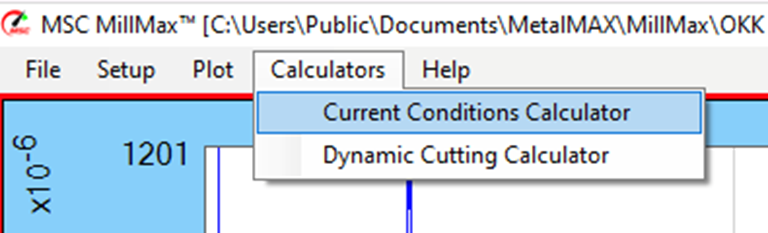
Im Grunde ist
das Dashboard ein Taschenrechner.
Wenn es keine zu berechnenden Werte gibt und Sie dann das Dashboard veröffentlichen (das zu einem verteilbaren eigenständigen Rechner wird), werden die NULL-Werte darin gesperrt.
Aus diesem Grund fügen wir Werte ungleich
Null in die Standard-Startdateien ein.
Es ist jedoch immer noch die beste Praxis, die aktuellen Parameter des Kunden oder
Ihre optimierten Parameter
in die aktuellen Bedingungen
einzugeben, da das Dashboard mit
diesen Einstellungen geöffnet wird.