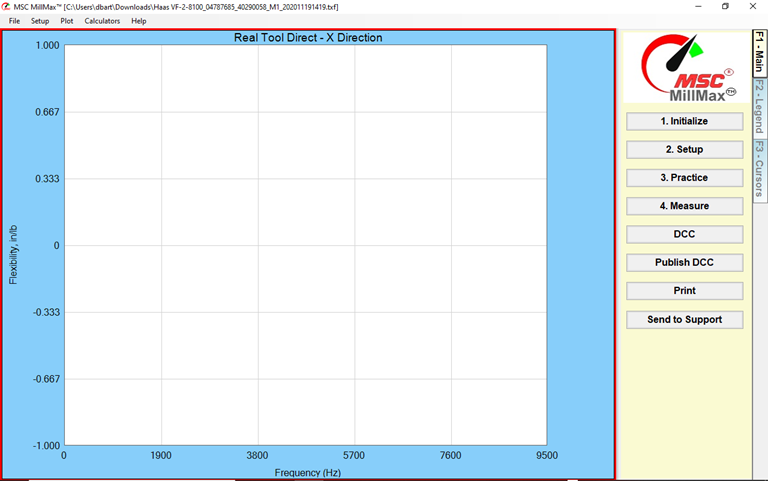
The graph on the SpeedCast home page is blank
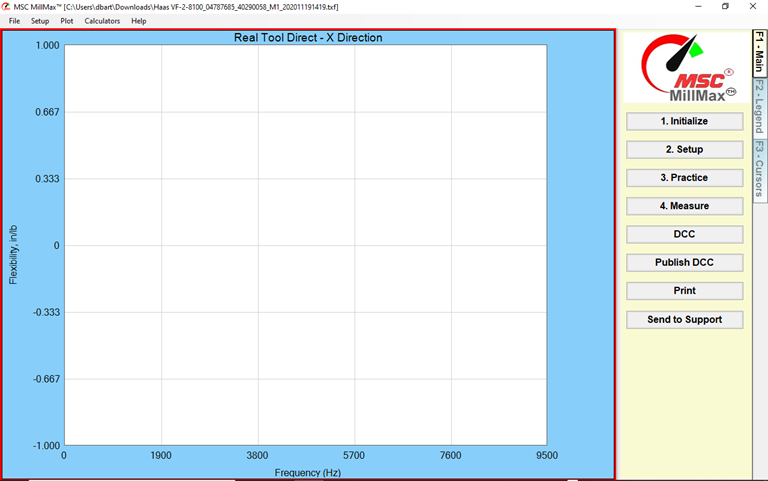
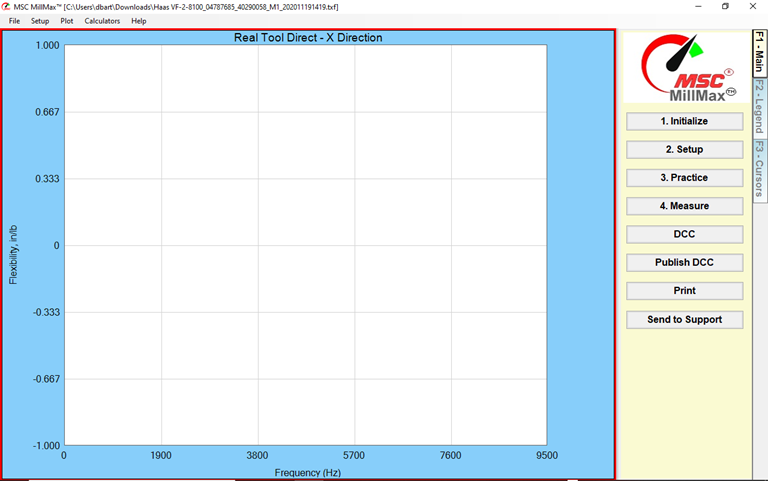
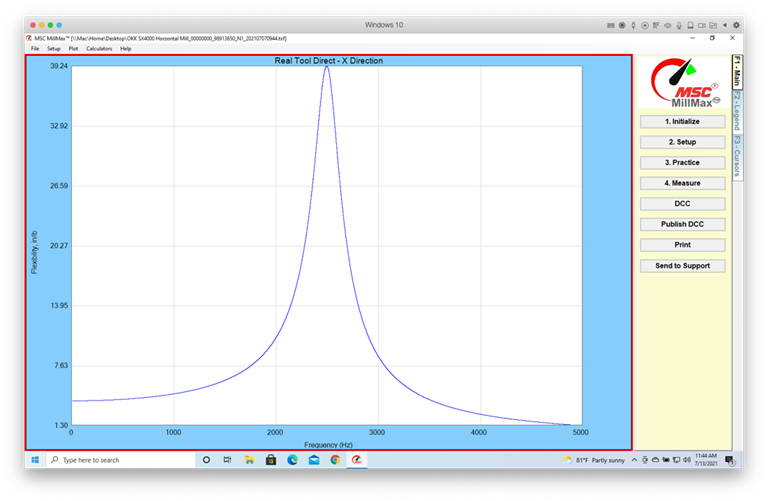
If the Real Tool Direct - X Direction screen is blank it
means that no tap-test measurement was recorded. It could be that you saved it
as a new file. Go back and see if there is an older file with the same machine,
holder and tool information, but a different random number at the end of the
file name. Open that file and see if a graph is shown.
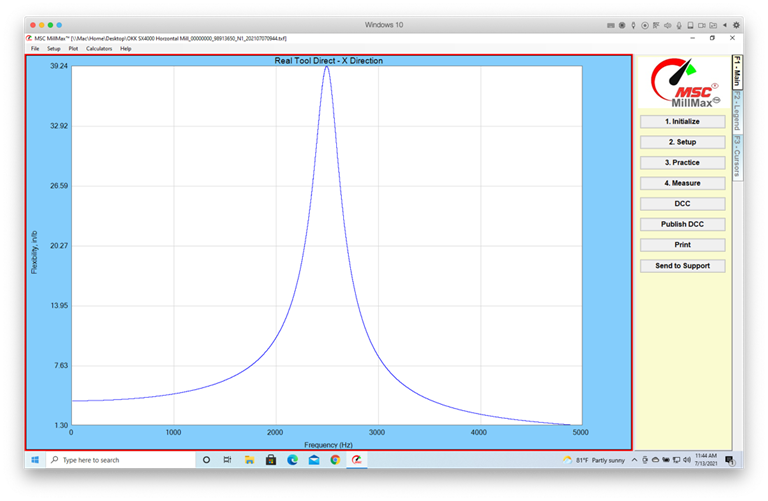
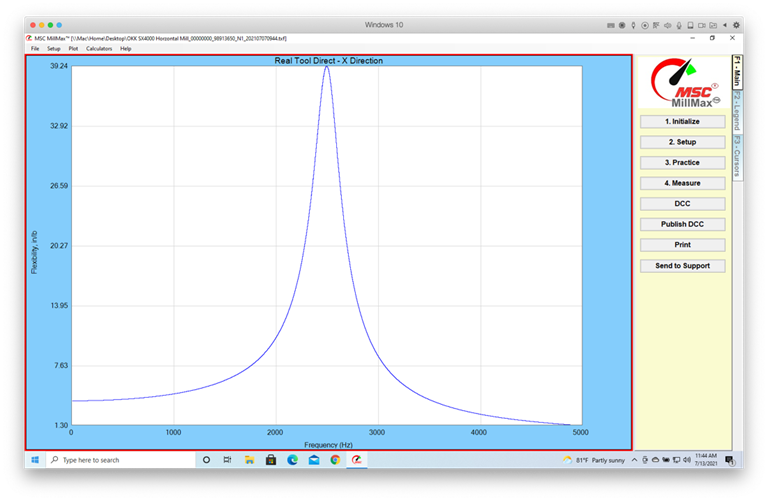
If you have a very
generic graph like above, that may also be an indication of no measurement.
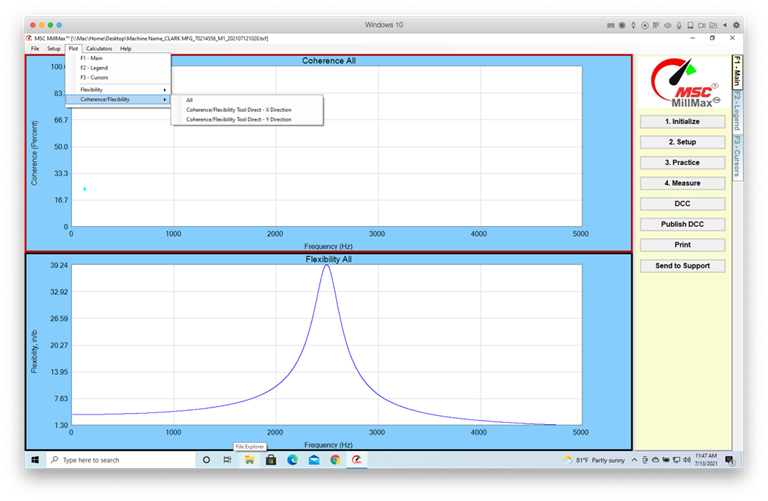
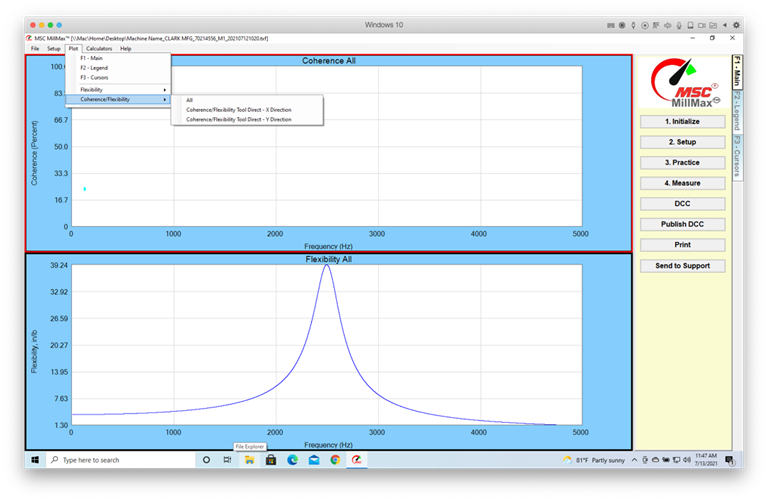
Click on Plot >
Coherence/Flexibility > All
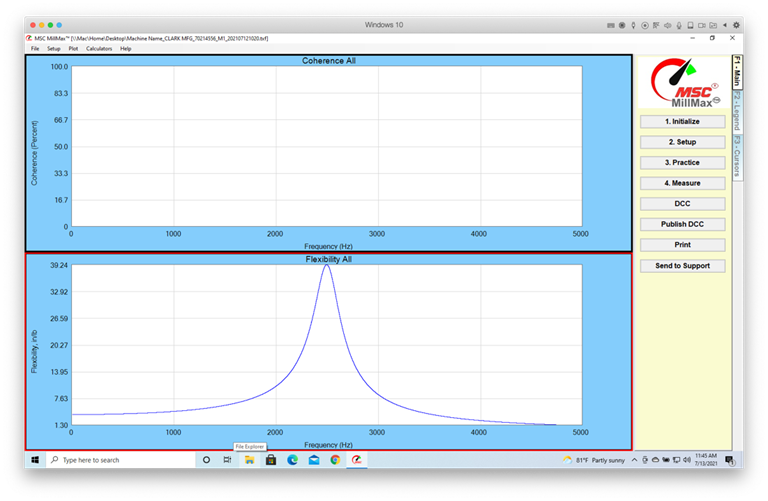
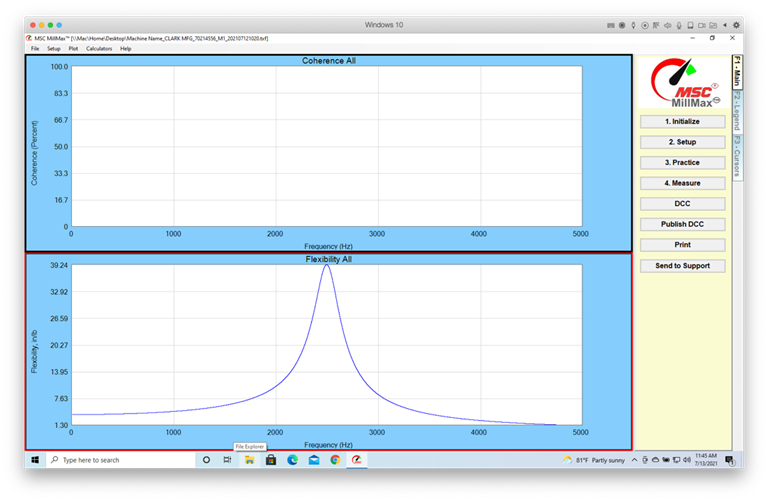
If the screen looks like
this, there is no measurement.
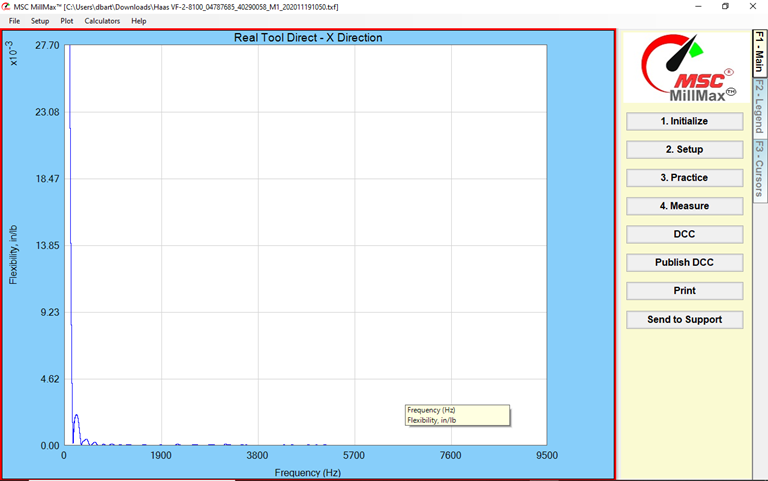
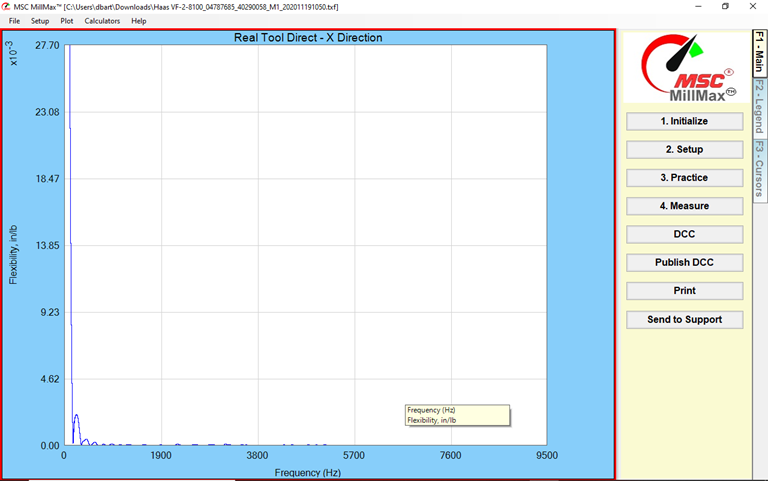
If the graph line is
very low this is an indication of a loose or bad cable. Check that all the
cable connections for the accelerometer and hammer are tight and, in the case
of the BNC connectors, fully seated. You will have to re-tap the tool.
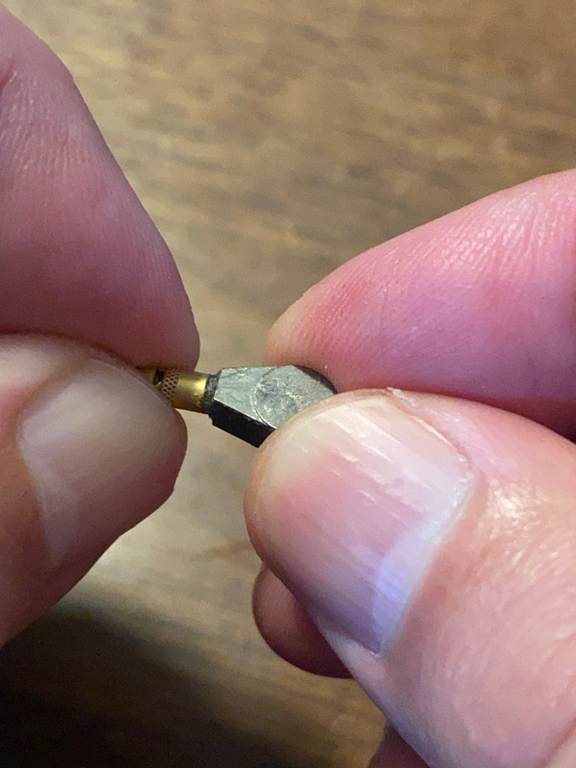
Make sure the 3-56
thread connecting the accelerometer to its cable is tight.
SpeedCastホームページのグラフが空白です
Real Tool Direct - X
Direction画面が空白の場合は、タップテスト測定が記録されていないことを意味します。新しいファイルとして保存した可能性があります。戻って、同じマシン、ホルダー、ツール情報を含む古いファイルがあるかどうかを確認しますが、ファイル名の末尾に異なる乱数が付いています。そのファイルを開き、グラフが表示されているかどうかを確認します。
上記のような非常に一般的なグラフがある場合、それは測定されていないことを示している可能性もあります。
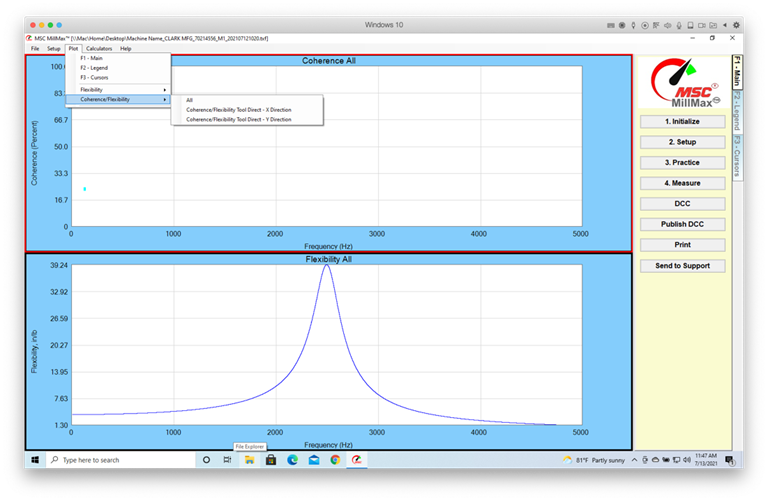
[プロット > コヒーレンス/柔軟性 > すべてをクリックします
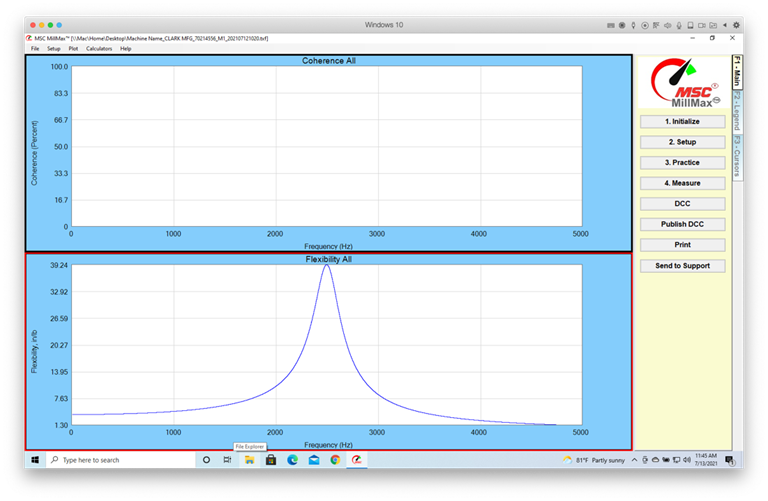
画面がこのように見える場合は、測定はありません。
グラフの線が非常に低い場合は、ケーブルが緩んでいるか不良であることを示しています。加速度計とハンマーのすべてのケーブル接続がしっかりと締まっており、BNC
コネクタの場合は完全に固定されていることを確認します。ツールを再度タップする必要があります。
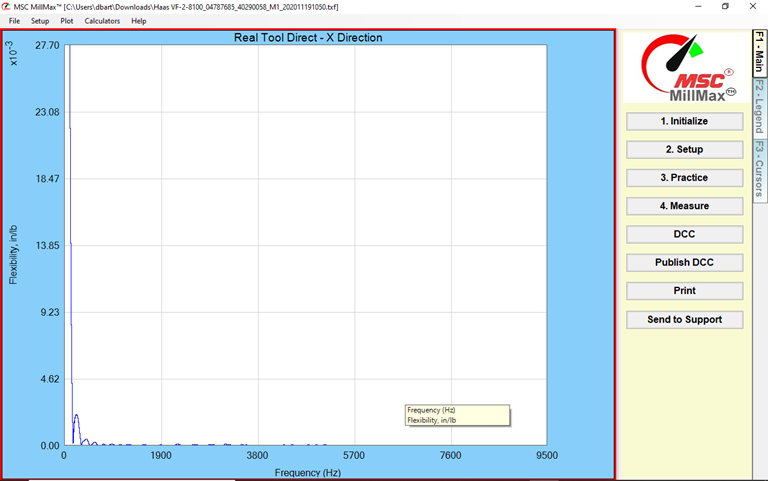
加速度計をケーブルに接続している 3-56
ネジ山がしっかりと締まっていることを確認してください。
Das Diagramm auf der SpeedCast-Startseite ist leer
Wenn der Bildschirm Real Tool
Direct - X-Richtung leer ist,
bedeutet dies, dass keine Stichprobemessung aufgezeichnet wurde. Es kann sein, dass Sie es als neue Datei
gespeichert haben. Gehen
Sie zurück und prüfen Sie, ob es eine ältere
Datei mit denselben Maschinen-, Halter- und Werkzeuginformationen,
aber einer anderen Zufallszahl am Ende des Dateinamens gibt. Öffnen Sie diese Datei, und prüfen Sie, ob ein Diagramm
angezeigt wird.
Wenn Sie ein sehr allgemeines
Diagramm wie oben haben, kann
dies auch ein Hinweis darauf sein, dass keine Messung
vorliegt.
Klicken Sie auf Diagramm > Kohärenz/Flexibilität > alle
Wenn der Bildschirm so aussieht, gibt es keine Messung.
Wenn die Graphenlinie sehr niedrig ist, ist
dies ein Hinweis auf ein loses oder schlechtes Kabel. Vergewissern
Sie sich, dass alle Kabelverbindungen für den Beschleunigungsmesser
und den Hammer fest und bei den BNC-Anschlüssen fest sitzen. Sie müssen erneut auf das Werkzeug tippen.
Stellen Sie sicher,
dass das Gewinde 3-56, das
den Beschleunigungsmesser mit
dem Kabel verbindet, fest sitzt.